
Jefferson County VINELink Coverage
Oregon's VINE-style service today is VISOR. The name stands for Victim Information System in Oregon. Older state material still says VINE or VINELink, which is why those names show up in searches. VISOR is the official home now. It can locate a person whose county or state custody or supervision record feeds into the system.
The Jefferson County Adult Correctional Facility does not link VISOR from its jail page. The public VISOR screen lists an "Offline Jails" area. Jefferson County is not named there. That tells you little either way. Feed status changes over time, and a rendered public screen cannot prove what the jail transmits. Treat VISOR as a second custody channel. The JCSO Web Jail Viewer covers Jefferson County bookings, while VISOR tracks one named person's custody or supervision state and notification enrollment. Oregon Department of Corrections records cover state custody, not every local booking.
Check a Jefferson County Arrest
VISOR accepts a full or partial name, an Oregon state identification number, or a county ID. A CAPTCHA guards the search. Booking numbers and VISOR IDs may not match. Start with the name unless an official source gave you the right ID.
- Open the official VISOR home and read any notice about offline facilities.
- Enter the full name, a careful partial spelling, the Oregon SID, or the county ID.
- Complete the CAPTCHA and submit the search.
- When several people match, compare identifiers, custody location, and status before opening a record.
- Open the correct result and note the facility, county, status, and displayed identifying fields.
- Register for notifications only after confirming the record belongs to the intended person.
Similar names call for care. A shared name is not proof of identity. The same goes for a charge description. If the arrest is fresh, compare your result with the Arrests Last 24 Hours date search or call the jail.
The Oregon VISOR search shows the current name and ID search interface.
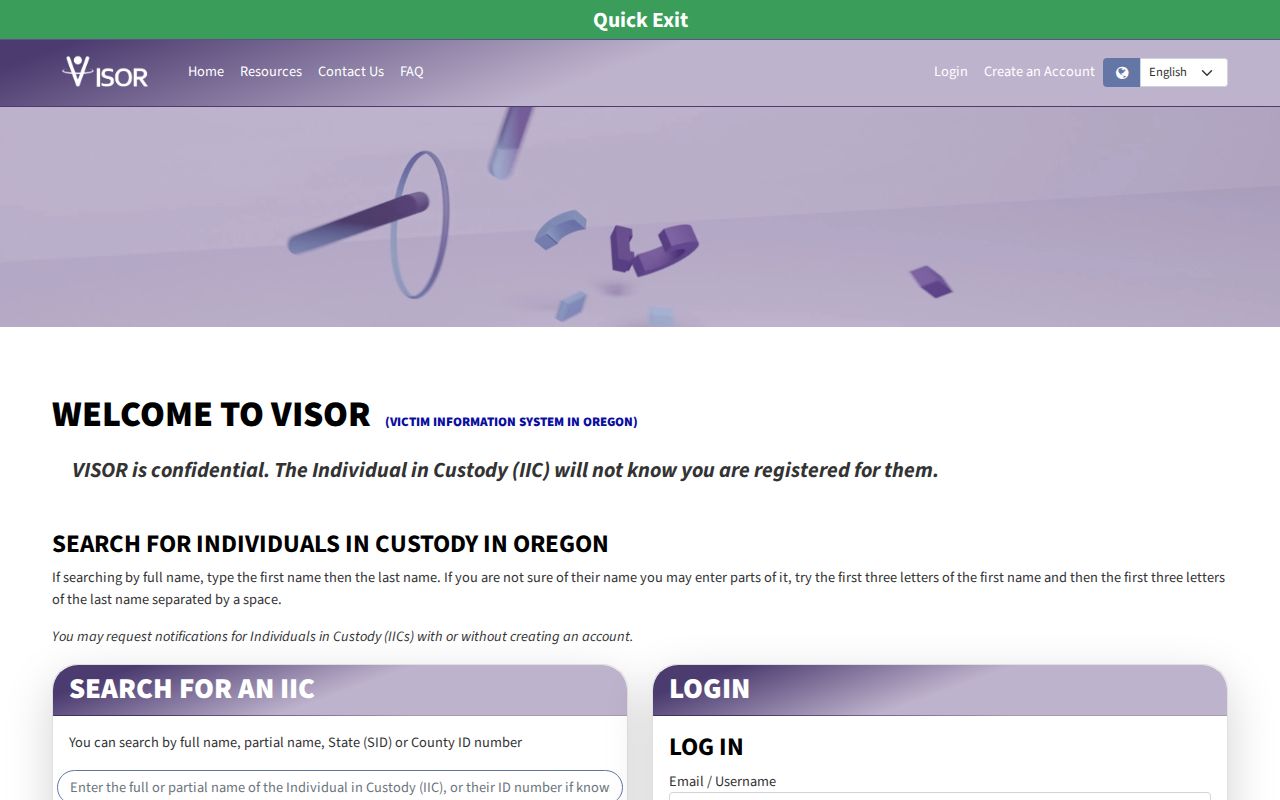
The statewide search appears before you choose a person.
Jefferson County Custody Result Fields
VISOR answers a custody question. It does not copy the Jefferson County booking file. Fields vary by agency and record, so read each status with the named facility and the last available context.
| Result field | How to use it |
|---|---|
| Name and identifiers | Distinguish among multiple people with similar names. |
| Custody status | Shows the status reported to VISOR, which may lag a new change. |
| Facility or county | Identifies the custody source associated with the record. |
| State SID or county ID | Helps return to the same person without relying only on spelling. |
| Supervision information | May describe a state or community supervision state rather than jail confinement. |
| Notification option | Allows an eligible displayed record to be registered for alerts. |
| Booking photo | VISOR is not a Jefferson County mugshot source. |
| Court disposition | Not supplied as the final criminal-case judgment; check Oregon court records. |
In custody, released, transferred, and under supervision are four different states. A transfer can close one record while another opens. Legacy Oregon VINE guidance warned that a county-to-DOC move may require a new registration. Check your alerts after any move. A lapse would be easy to miss. The facility named in the result is the best place to confirm a status.
Register for Oregon Custody Alerts
Registration is free, confidential, and voluntary. Oregon says the person in custody is not told who registered. Alerts can come by phone, text, email, or TTY for release, transfer, escape, or death events. An account is optional. It helps manage preferences and notification history.
- Find and verify the correct person in VISOR.
- Select the notification or registration option attached to that record.
- Choose phone, text, email, or TTY as offered and enter accurate contact details.
- Create the requested PIN or confirmation information for phone registration when the channel asks for it.
- Complete verification and save the record identifier and registration details.
- After a county-to-DOC transfer, check whether the registration must be renewed or updated.
Keep your contact details current. Alerts cannot reach a disconnected phone or an email account that blocks the message. VISOR should support, not replace, a safety plan or direct confirmation with the facility.
The official VISOR registration screen opens sign-up.
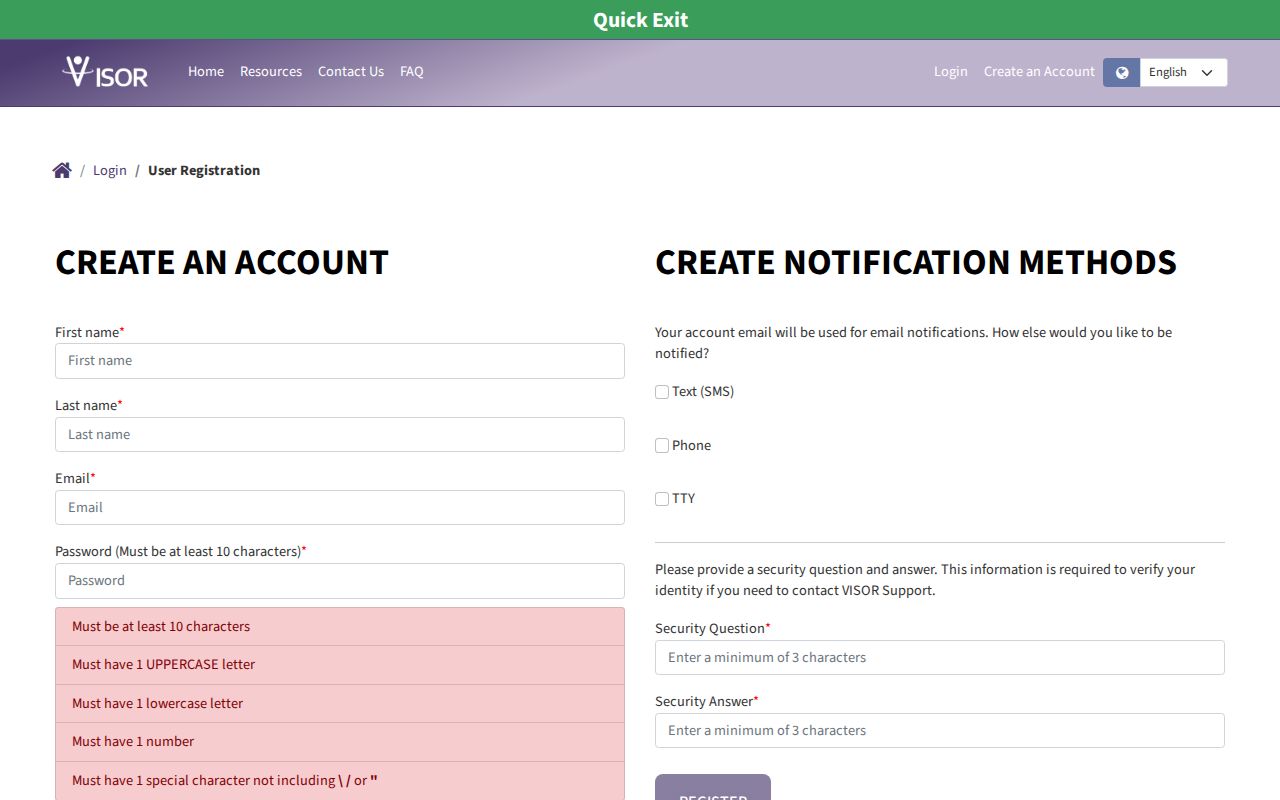
The captured form shows where a user starts managing Oregon custody notification preferences.
Confirm Jefferson County Custody Changes
VISOR only knows what participating systems send it. A fresh Jefferson County booking can show up in the jail viewer first. A release can reach one system before another. Timing, spelling, identifier choice, and an offline feed can all cause a miss. Call the jail control room at 541-475-2869. The sheriff's main line is 541-475-6520. VISOR support answers at 855-691-6246 around the clock. Email goes to VISOR@doc.oregon.gov, though a reply can take up to three business days. Use the phone for urgent checks.
The Jefferson County arrest records hub sorts out jail, court, DOC, and records-request sources. The jail holds current county custody, Oregon DOC covers state custody, and Oregon Judicial Department records show the case result.
Federal Custody Needs Another Locator
VISOR has one clear limit. It stops at federal custody. Someone moved into the Federal Bureau of Prisons, ICE custody, or a federal holding arrangement will not appear there, and each of those systems runs its own locator instead. The BOP tool tracks federal sentences and federal inmates. The ICE detainee locator covers people held by ICE and certain longer CBP holds. Neither one replaces the Jefferson County roster, because neither reports county bookings.
A transfer can leave a gap between sources. Start by confirming the Jefferson County row ended or changed. Then find the receiving authority from an official release, court paper, or facility statement. Only after that should you query the receiving system. A VISOR miss alone proves nothing about immigration status, a federal case, or release.
Federal sources also skip booking photos. Jefferson County mugshots live in a separate system with separate release rules, so a custody alert and a photo remain two different records.
Jefferson County Alert Systems Differ
Jefferson County promotes Everbridge and OR-Alert, and its materials also mention Nixle. These channels push emergency and community notices to the public. They cannot search for a named person. They show no booking fields, no inmate registration, and no mugshots.
That split defines the county-specific alert angle. VISOR handles custody notification tied to one record. JCSO emergency channels carry broad public-safety notices. The jail viewer does the booking search. Social media and press releases may announce selected arrests, but they are not rosters, and posts can be delayed, edited, or deleted.
Note: Registering for a county emergency alert does not enroll a person for VISOR release or transfer notifications.
When a VISOR Alert Is Missed
Oregon itself cautions against treating automated alerts as a sole safety measure. Phones get disconnected. Emails land in spam. Contact details get mistyped at registration. A custody event can even reach the service well after it happened, so keep the VISOR support number and the Jefferson County jail number stored beside your registration details.
Work through the failure points in order. First, confirm the record you selected still matches the right person. Second, check whether custody moved from the county jail to Oregon DOC or another facility. A move between systems may demand a fresh registration. Then re-examine your delivery channel and contact information. If the picture stays murky, call the reporting facility instead of waiting for another automated message.
One more caution applies. A release alert means the reported custody state changed, nothing more. It will not show dismissed charges, posted bail, a completed sentence, the start of supervision, or a handoff to another agency. Those answers come from the jail, the court register, the supervising agency, or the receiving facility.
Jefferson County Custody Terms
Short status labels can hide real differences. Read each one beside the facility and date, and confirm any unclear term with the agency that supplied it.
- Booking
- The jail intake process that creates the local booking record.
- Custody
- Physical detention reported by a jail, prison, or other holding authority.
- Transfer
- A move to another facility or authority, not necessarily release from confinement.
- Supervision
- A community or corrections status that differs from being held in the county jail.
- Release
- The end of the reported custody event, which may not end the criminal case.
- Disposition
- The court's resolution of a charge, separate from VISOR status.
These distinctions matter most after a state transfer. The county viewer, VISOR, the Oregon DOC search, and the court register each describe a different slice of one Jefferson County booking timeline.